Airgap Voice
Secure AI transcription that runs entirely on your Mac. No cloud, no server, no data leaves your machine. Works in any app.
How It Works
Lives in your menu bar. Transcribes directly at your cursor.
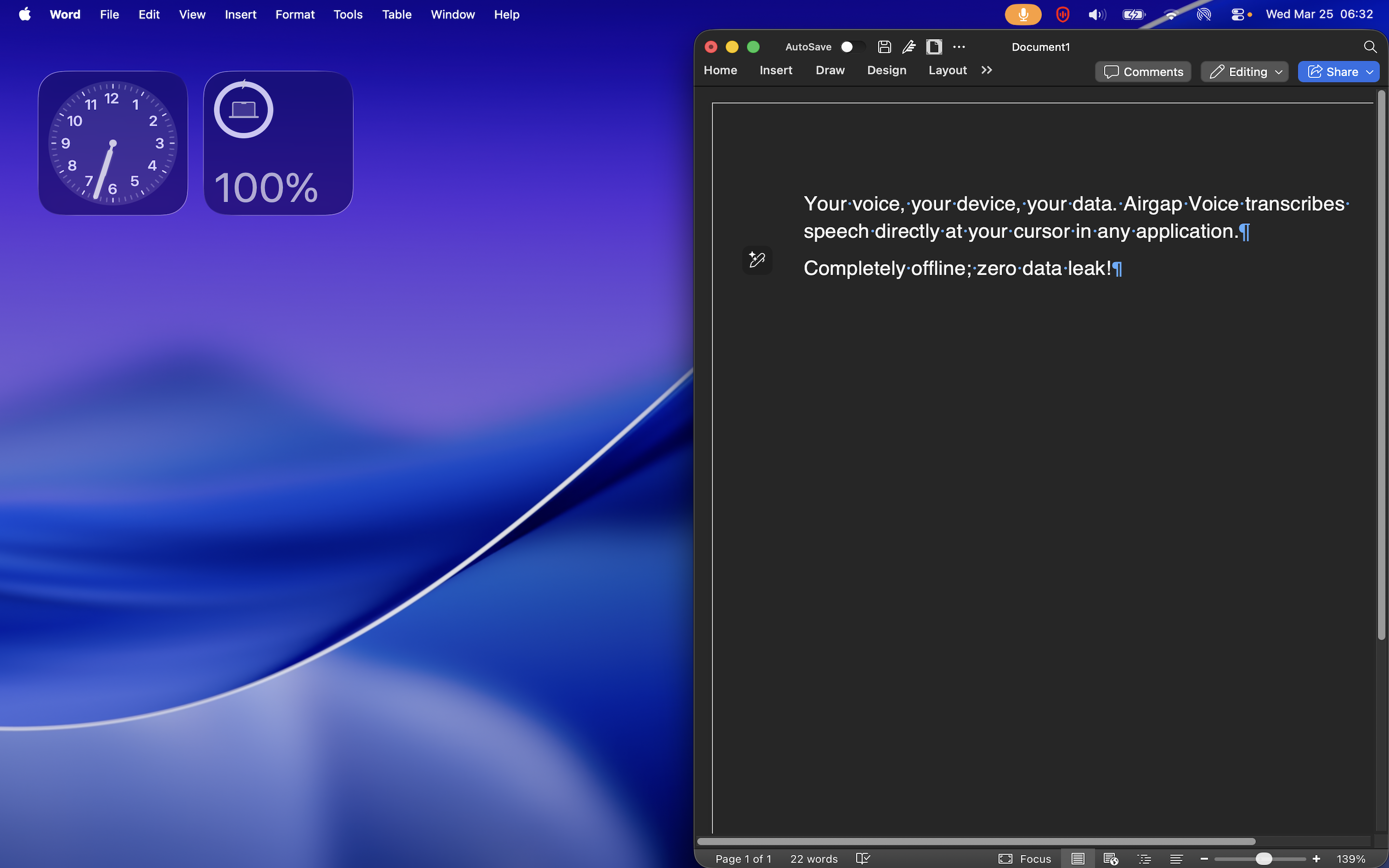
Dictate Into Any App
Transcribes speech directly at your cursor - Word, Outlook, Chrome, or any text field.
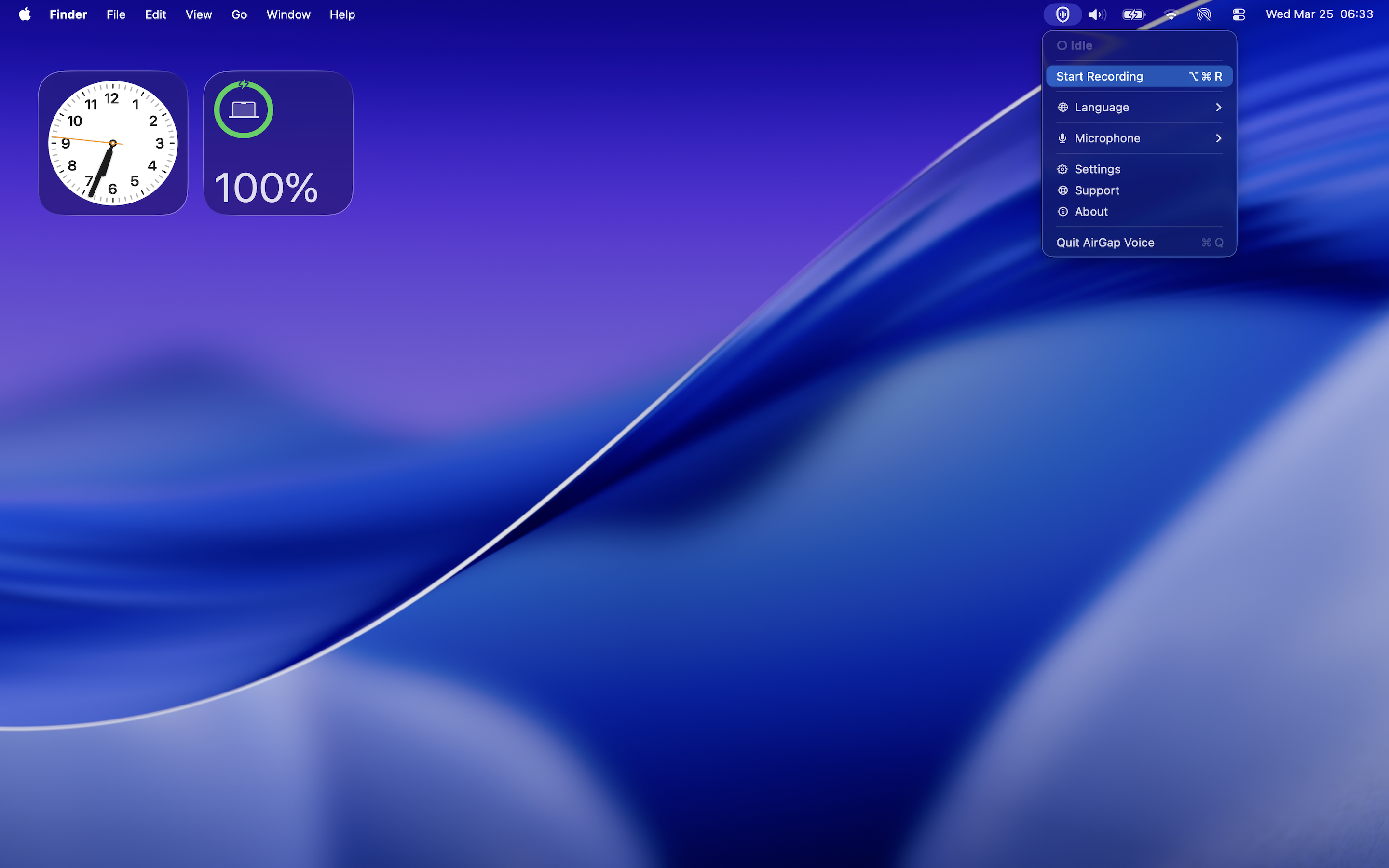
Menu Bar Access
Start recording, switch languages, and adjust settings from the menu bar. Always one click away.
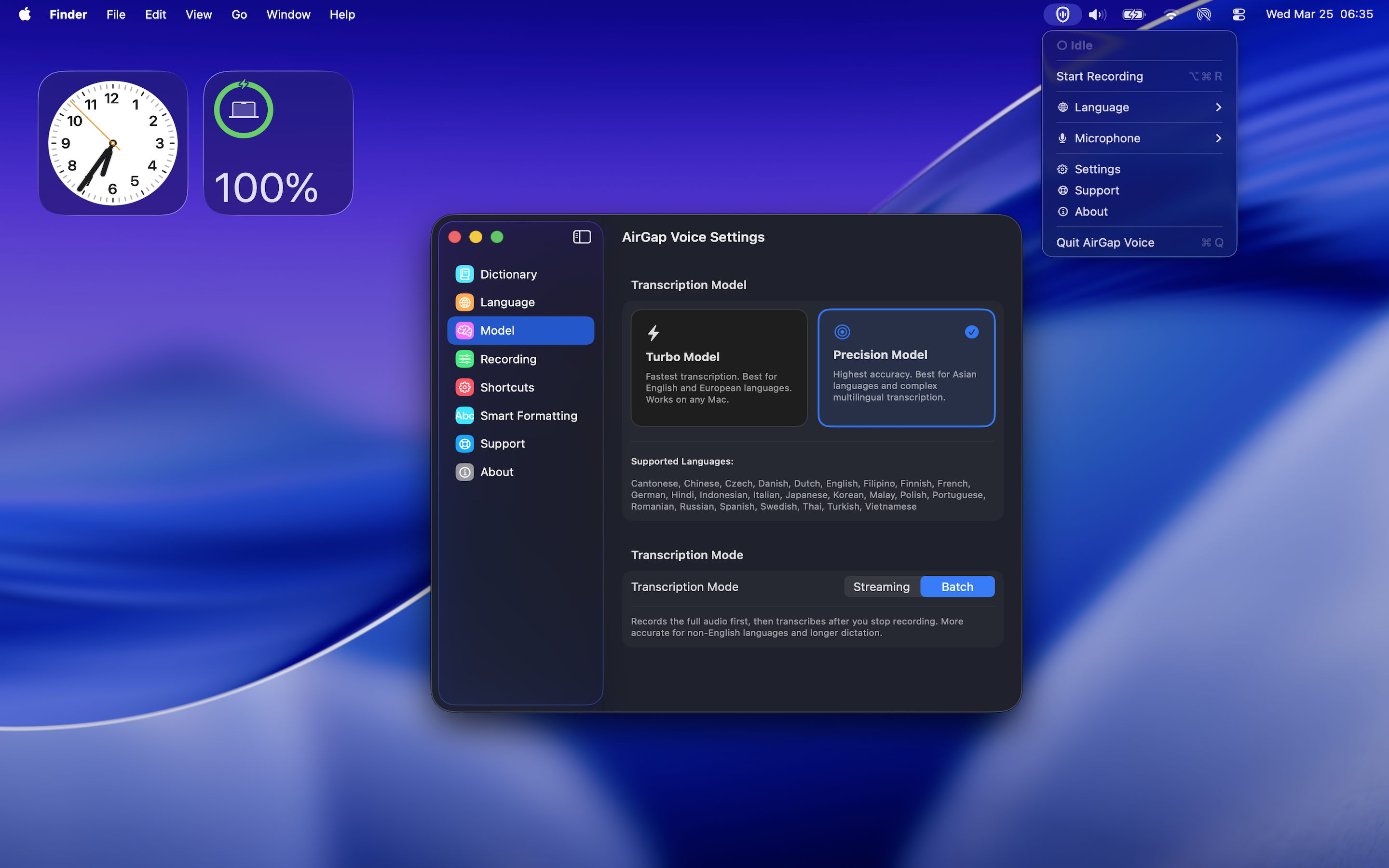
Model Selection
Choose between Turbo and Precision models. Configure language, shortcuts, and formatting in the settings.
Features
Everything runs locally on Apple Silicon.
Turbo Model
Optimized for real-time dictation with low latency on any Apple Silicon Mac, even the base M1 model with 8GB of memory. Supports English and major European languages.
Precision Model
Optimized for multilingual transcription and batch processing of longer recordings. Supports English, European, and multiple Asian languages. The Precision model requires modern M2, M3, M4 Pro, Max, or Ultra Apple Silicon with at least 16GB of memory.
30 Languages
Bulgarian, Cantonese*, Chinese*, Croatian, Czech, Danish, Dutch, English, Filipino*, Finnish, French, German, Hindi*, Indonesian*, Italian, Japanese*, Korean*, Malay*, Polish, Portuguese, Romanian, Russian, Slovak, Slovenian, Spanish, Swedish, Thai*, Turkish*, Ukrainian, and Vietnamese*. Languages marked with * require the Precision model.
Smart Formatting
Built-in smart formatting to fix punctuation, date & time, currency and number formatting. Fully customizable in the settings so you can enable only what you need.
Zero Network Access
No network entitlements in the signed binary. The macOS kernel blocks any outbound connection attempt. Verifiable with codesign.
Works in Any App
Types directly at your cursor in any application: Word, PowerPoint, Outlook, Slack, Chrome, or any text field. AirGap Voice seamlessly integrates into your existing workflow.
System Requirements
- Chip: Apple Silicon (M1+ for Turbo Model. M2 Pro or later for Precision Model)
- OS: macOS 15 Sequoia or later
- RAM: 8 GB minimum (16 GB for Precision model)
- Storage: 3.6 GB for the application bundle
- Network: Not required. Works fully offline